
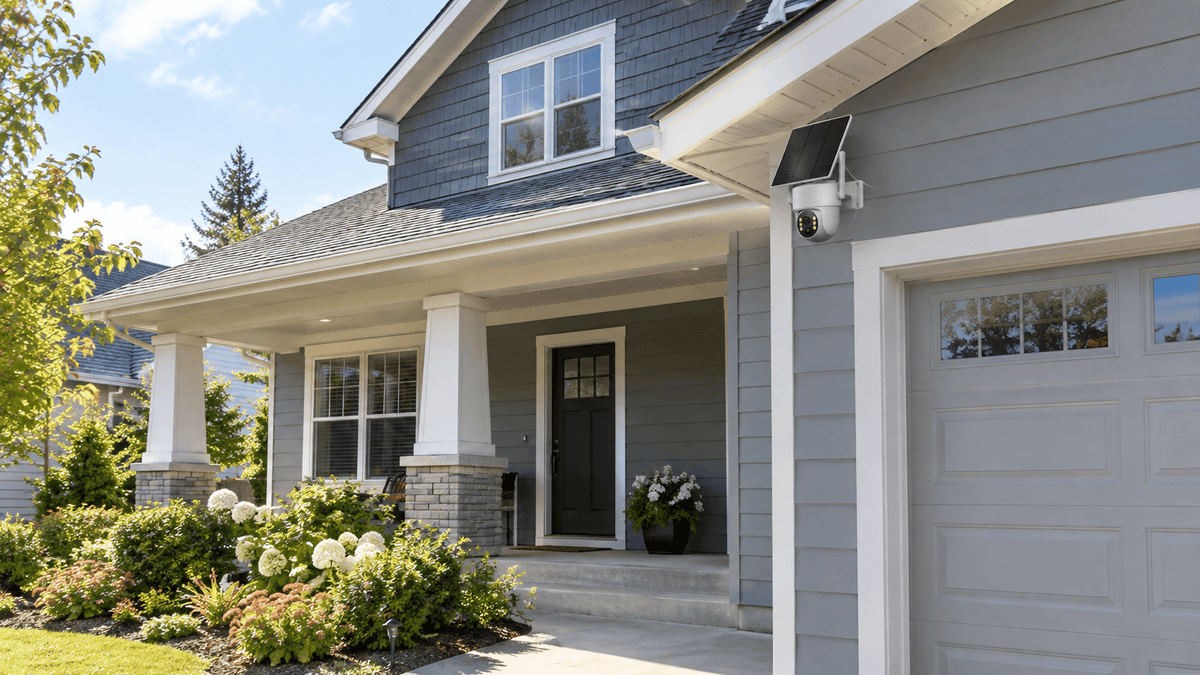
Choosing the right security camera is only half the job. Knowing where to install security cameras around your house is just as important. Even a high-quality home security camera system may leave blind spots if cameras are pointed in the wrong direction, mounted too low, or positioned where lighting and obstructions limit visibility.
The best security camera placement helps you monitor entrances, identify activity around your property, protect valuable belongings, and improve your overall home security. From front doors and driveways to living rooms and garages, every area has different surveillance needs.
In this guide, Camcamp explains the best places to install indoor and outdoor security cameras, practical mounting tips, common placement mistakes, and how to create a home surveillance system that works for your property.
1. Where Should You Install Security Cameras Around Your House?
The best places to install security cameras are usually the areas where people enter your property, approach your home, or access valuable belongings. Start with the locations that matter most before expanding your coverage.
For most homes, these priority areas include:
-
Front door and main entrance
-
Back door and side entrances
-
Driveway and garage exterior
-
Backyard, patio, and garden access points
-
Living room and other important indoor spaces
-
Garage interior and storage areas
Outdoor cameras help monitor activity around the property's perimeter, while indoor cameras provide an additional layer of awareness inside the home.
For outdoor coverage, the Camcamp SC43 solar-powered security camera system is a practical option for suitable exterior locations. For indoor monitoring, the Camcamp SC54 mains-powered security camera system can be positioned near an appropriate power outlet.
The key principle is simple: prioritize entrances, cover important approaches, and position cameras to minimize blind spots. You do not necessarily need a camera in every room to create a useful home security system.
2. Front Door: One of the Most Important Security Camera Locations
Your front door is one of the first places to consider when planning home security camera placement. It is a common access point for visitors, deliveries, and anyone approaching the property.
Where to position the camera
Install an outdoor security camera where it can capture the approach to the front entrance, the doorway, and the surrounding walkway. Position it to provide a useful view of people approaching rather than pointing directly at a wall or a bright light source.
A slightly angled view can help you see the entrance and the path leading toward it. Avoid placing the camera so high that faces become difficult to identify, or so low that it can be easily obstructed.
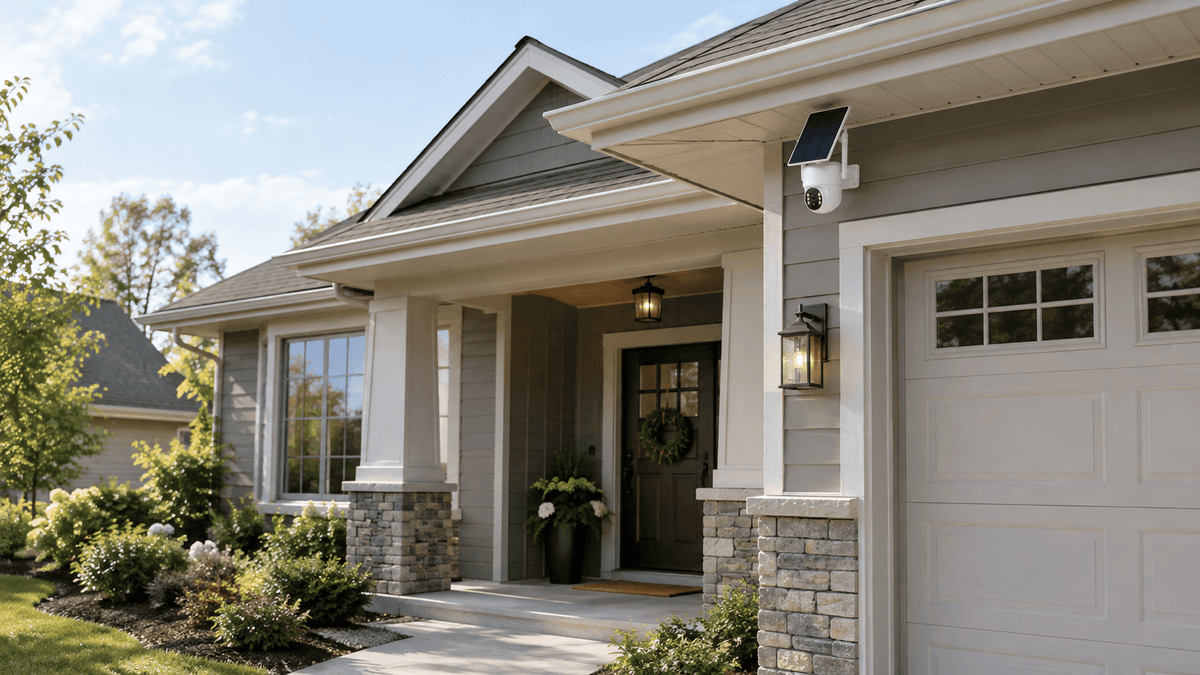
The Camcamp SC43 solar security camera system can be considered for an exterior front-door location when the mounting position receives suitable sunlight and meets the camera's installation requirements.
If the entrance is covered by a deep porch or surrounded by heavy shade, check whether the solar panel can be positioned in a sunnier location without compromising the camera's view.
Placement tip: Check the camera's daytime and nighttime views before finalizing the mounting position. Porch lights, reflective surfaces, and direct sunlight can all affect image quality.
3. Driveway and Garage Exterior: Monitor Vehicles and Approaches
Driveways and garage entrances are important areas to cover because they connect the street or property boundary to your home. A well-positioned driveway security camera can help you observe arriving vehicles, people approaching the garage, and movement around parked cars.
Best placement for driveway security cameras
Mount an outdoor camera where it overlooks the driveway entrance and the main vehicle parking area. If the driveway is long, a view from the house or garage corner may provide a useful overview.
Consider the following when choosing a location:
-
Keep the main vehicle approach within the camera's field of view.
-
Avoid aiming directly into headlights or other strong light sources.
-
Check whether trees, parked vehicles, or garage structures block the view.
-
Consider whether a second camera is necessary for a separate entrance or a large property.
The Camcamp SC43 solar-powered system is worth considering for suitable exterior driveway locations, especially where running power cables outdoors would be inconvenient.
For the garage exterior, position the camera to monitor the driveway approach and garage door area. If the garage has a separate side entrance, evaluate whether it needs additional coverage.
Remember that a camera's actual detection range and field of view vary by model and installation conditions. Review the specifications rather than assuming one camera can cover an entire large driveway.

4. Backyard, Patio, and Side Entrances
The backyard is another important part of outdoor security camera placement. Rear entrances, garden gates, patios, sheds, and side passages may be less visible from the street than the front of the house.
Where should outdoor cameras go?
Look for locations that provide a clear view of:
-
Back doors and sliding patio doors
-
Side gates and narrow passages
-
Backyard access points
-
Outdoor equipment and storage areas
-
Patio doors and frequently used outdoor spaces
For a backyard with several access points, prioritize the doors and paths that lead directly toward the house. A camera mounted near an exterior corner may cover more than one approach, depending on the layout.
The Camcamp SC43 solar-powered security camera system can suit outdoor areas where its solar panel receives sufficient daylight. Before installation, check for shade from roof overhangs, trees, fences, and neighboring buildings.
If the camera and solar panel can be mounted separately within the supported cable length, consider placing the panel in a sunnier position while keeping the camera aimed at the area you want to monitor. Follow the product's installation specifications.
Do not point cameras unnecessarily into a neighbor's windows or private areas. Focus on your own entrances, property boundaries, and outdoor spaces.

5. Living Room: Monitor Important Indoor Areas
Outdoor cameras help you observe activity around the property, but indoor security cameras can provide another layer of awareness inside your home.
The living room may be a useful location if it contains valuable electronics, connects to a main entrance, or provides access to other important parts of the house.
How to position a living room security camera
Place an indoor camera where it can capture the relevant entry points and common walking paths without being obstructed by furniture, curtains, or decorative objects.
A shelf or stable mounting point may work well if it provides a clear view. Avoid placing the camera directly against a window, where reflections and changing light can interfere with the image.
The Camcamp SC54 mains-powered security camera is an option for indoor monitoring. Choose a location near a suitable electrical outlet so the camera can remain connected to its power source.
Keep the thin white power cable neatly routed between the camera and outlet. Secure loose sections where appropriate, and avoid running the cable across walkways or pinching it behind heavy furniture.
Before mounting the camera permanently, check the viewing angle from the intended position. The goal is to capture meaningful activity rather than simply record the largest possible area.
For privacy, tell household members and guests about indoor camera use where appropriate. Avoid placing cameras in bedrooms, bathrooms, or other spaces where people reasonably expect privacy.

6. Garage Interior: Protect Tools, Equipment, and Storage
The garage often contains tools, bicycles, sports equipment, seasonal belongings, and other valuable items. It may also provide an interior route into the house.
A garage security camera can help you observe activity around the garage door, internal entrance, and storage areas.
Best indoor garage camera placement
Mount the camera where it can cover the main access points and the areas where important belongings are stored. If the garage has both a vehicle entrance and a door leading into the house, consider which one requires the clearest coverage.
The Camcamp SC54 mains-powered camera can be installed inside a garage when a suitable power outlet is available.
Because garages may have limited lighting, test the image in daylight and after dark. Check whether shelves, vehicles, or tall storage cabinets create blind spots.
Keep the camera and its power cable away from moving garage doors, mechanical equipment, sharp edges, and areas exposed to water. Route the thin white power cable safely along a wall toward the outlet rather than across the floor.
For detached garages, verify the available power supply and connectivity requirements before choosing an installation location.

7. Hallways and Other Indoor Entry Routes
Hallways can connect the front door, living room, bedrooms, and other areas of the house. Depending on your layout, a camera in a common hallway may help you observe movement between important entry points.
Where to put an indoor hallway camera
Choose a position that provides a clear view along the hallway without being blocked by doors, cabinets, or tall furniture. Avoid aiming directly at bright windows or placing the camera where opening doors repeatedly obstruct its view.
The Camcamp SC54 mains-powered camera may be suitable for a hallway with an accessible outlet. Plan the installation so the white power cable remains secure and does not create a tripping hazard.
However, more cameras do not automatically mean better security. If a hallway camera duplicates the view already provided by a front-door or living-room camera, you may get more value from covering a different entrance or outdoor blind spot.
When planning indoor surveillance, balance useful coverage with household privacy. Concentrate on common access routes and shared spaces rather than private rooms.
8. How High Should You Mount a Security Camera?
The correct mounting height depends on the camera model, lens, field of view, and the area you want to monitor.
For many residential installations, approximately 7–9 feet (2.1–2.7 meters) is a reasonable starting point for an exterior camera. This can provide a useful overview while keeping the camera less accessible than one mounted at ground level.
However, this is a guideline rather than a universal rule. A different height may work better for a porch, narrow side passage, driveway, or indoor hallway.
Keep these principles in mind:
-
Avoid mounting too low: The camera may be easier to reach, obstruct, or tamper with.
-
Avoid mounting too high: Important details, including faces, may become harder to recognize.
-
Check the viewing angle: The camera should cover the intended area without excessive sky, walls, or empty ground.
-
Consider nighttime lighting: Reflections, glare, and nearby lights may affect visibility.
-
Test before drilling: Temporarily position the camera and review the image on your phone or monitoring device if supported.
For indoor cameras, a shelf or wall mount may be appropriate as long as the view remains clear and the power cable can be routed safely.
9. Common Security Camera Placement Mistakes to Avoid
Even a capable security camera system can leave important areas unmonitored if installation is poorly planned.
Mistake 1: Covering only the front door. Side entrances, back doors, and garage approaches may remain unmonitored. Assess the entire property's access points.
Mistake 2: Ignoring sunlight requirements. Solar-powered outdoor cameras need suitable light exposure for effective solar charging. Check seasonal shade and the panel's installation options before mounting an SC43.
Mistake 3: Choosing an inconvenient power location indoors. An SC54 should be positioned where an appropriate outlet is available and the white power cable can be routed safely.
Mistake 4: Pointing cameras into strong light. Direct sunlight, headlights, and reflections may reduce image quality. Adjust the angle and test the view at different times of day.
Mistake 5: Forgetting nighttime conditions. A position that looks ideal in daylight may produce glare or leave important areas poorly illuminated after dark.
Mistake 6: Overlooking privacy. Limit surveillance to areas you have a legitimate reason to monitor, and respect neighbors' property and household privacy.
Mistake 7: Assuming one camera covers everything. Walls, trees, vehicles, and property layout can create blind spots. Check actual coverage rather than relying only on advertised detection distance.
10. How to Build a Practical Home Security Camera System
A practical home surveillance system starts with a clear plan rather than a fixed number of cameras.
Begin by walking around your property and identifying the main entrances, vehicle access points, outdoor storage areas, and indoor routes that matter most.
Next, decide which locations need outdoor monitoring and which would benefit from indoor coverage. For suitable outdoor positions, the Camcamp SC43 solar-powered security camera system can help reduce the need to run a dedicated power supply to each camera. For indoor areas with convenient outlets, the Camcamp SC54 mains-powered camera is another option.
Then, review the camera's field of view, power requirements, mounting options, and connectivity needs. Test each position during the day and at night before completing the installation.
Finally, check your camera views periodically. Seasonal foliage, moved furniture, new storage shelves, or changes to outdoor lighting can affect coverage over time.
The best home security camera placement is not necessarily the most complicated setup. It is the arrangement that gives you useful visibility of important areas, meets your power requirements, and fits the way you use your home.
FAQ
Where is the best place to install security cameras around a house?
Start with the front door, back door, driveway, garage entrance, and backyard access points. Add indoor cameras in shared areas or important access routes when additional coverage is needed.
Should security cameras be installed inside or outside?
Both can serve different purposes. Outdoor cameras help monitor entrances and activity around the property, while indoor cameras can provide additional visibility inside the home. Your priorities, property layout, privacy needs, and budget will determine the right balance.
What is the best height for an outdoor security camera?
Approximately 7–9 feet (2.1–2.7 meters) is a common starting point for many residential installations. Adjust the height based on the camera's field of view, the target area, and the manufacturer's mounting recommendations.
Where should I install a solar-powered security camera?
Choose an outdoor location that covers an important area and allows the solar panel to receive sufficient sunlight. Check for shade from trees, roofs, and nearby structures, and follow the manufacturer's mounting and cable-length requirements.
Where should I put a security camera inside my house?
Living rooms, common hallways, and garage interiors may be useful locations, depending on your home's layout. Place the camera near a suitable power outlet and route its cable safely. Avoid private spaces such as bathrooms and bedrooms.
How many security cameras does a house need?
There is no single number that works for every home. A small property with a few entrances may need fewer cameras than a large home with multiple driveways, side gates, and detached buildings. Start by identifying important access points and potential blind spots.
Final Thoughts: Choose the Right Camera Placement for Your Home
Knowing where to install security cameras around your house can help you create a more practical and effective home security plan. Focus on important entrances, driveways, garages, backyards, and shared indoor spaces rather than installing cameras without a clear purpose.
For outdoor monitoring, consider the Camcamp SC43 solar-powered security camera system for suitable locations with adequate sunlight. For indoor coverage, the Camcamp SC54 mains-powered security camera can be a practical choice when an appropriate outlet is available.
Plan your camera angles, check power requirements, test nighttime visibility, and respect privacy when choosing each location. With thoughtful placement, your Camcamp home security camera system can provide more useful coverage and greater peace of mind.

Leave a comment
This site is protected by hCaptcha and the hCaptcha Privacy Policy and Terms of Service apply.