
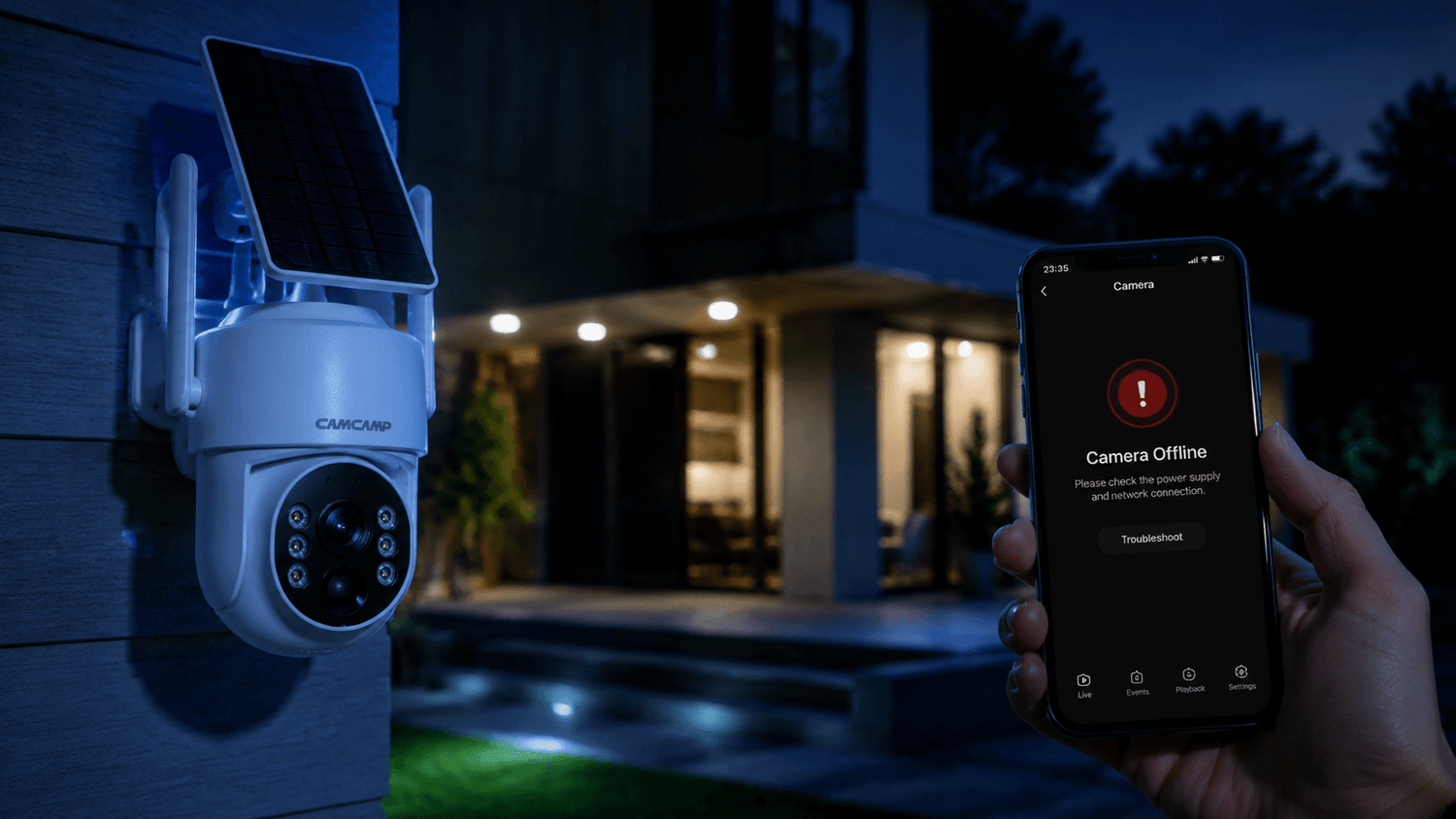
The good news? Most offline camera issues are easy to fix once you identify the cause.
In this guide, we’ll explain the most common reasons your security camera is offline, how to troubleshoot the issue quickly, and how to prevent future connection problems. If you own a smart home security camera like the Camcamp SC43, these tips can help restore your monitoring system fast.
Why Does a Security Camera Go Offline?
Security cameras depend on stable power, internet access, and proper communication with your mobile app or cloud service. If one of these elements fails, your camera may appear offline.
Here are the most common causes:
- Weak WiFi signal
- Power supply interruptions
- Router connection problems
- Firmware issues
- App syncing errors
- SD card or cloud storage conflicts
- Network overload
- Weather interference
- Incorrect camera settings
Understanding the exact reason behind the issue is the first step toward fixing it quickly.
1. Weak WiFi Signal
A poor WiFi connection is the number one reason wireless security cameras go offline.
Outdoor cameras are especially vulnerable because walls, metal surfaces, trees, and distance from the router can weaken the signal.
Signs of Weak WiFi
- Delayed live view
- Frequent disconnects
- Pixelated video
- App loading failures
- Motion alerts arriving late
How to Fix It
Move Your Router
Place your router closer to the camera whenever possible.
Reduce Obstacles
Concrete walls, brick, and metal doors can block wireless signals.
Use a WiFi Extender
A WiFi range extender can significantly improve outdoor camera performance.
Switch to 2.4GHz
Many smart security cameras work more reliably on 2.4GHz networks because they offer better range than 5GHz.
Modern Camcamp wireless security cameras are optimized for stable long-range performance, especially in outdoor environments.

2. Power Supply Problems
If your camera loses power, it will immediately disconnect from the network.
Battery-powered and solar-powered cameras may go offline if the battery level becomes critically low.
Common Power Issues
- Loose charging cable
- Dead battery
- Faulty power adapter
- Solar panel obstruction
- Power outage
Quick Fixes
- Recharge the battery fully
- Inspect cables for damage
- Check solar panel positioning
- Clean dust or debris from solar panels
- Test another power outlet
For solar security cameras, ensure the panel receives enough direct sunlight during the day.

3. Router or Internet Problems
Sometimes the issue is not the camera — it’s your internet connection.
If your router disconnects or your ISP experiences outages, your smart camera system will appear offline.
How to Check
- Test internet speed on your phone
- Restart the router
- Check if other smart devices are offline
- Verify ISP outages in your area
Fast Router Reset Method
- Unplug the router
- Wait 30 seconds
- Plug it back in
- Wait for the network to reconnect
This simple step solves many home security camera connection issues.

4. Camera Firmware Needs Updating
Outdated firmware can cause connectivity bugs, app syncing issues, and security vulnerabilities.
Manufacturers regularly release firmware updates to improve:
- WiFi stability
- Motion detection
- Night vision
- Battery performance
- App compatibility
How to Fix Firmware Issues
Open your camera app and check for firmware updates regularly.
Camcamp smart security cameras provide firmware updates that improve stability and smart detection performance.
Keeping firmware updated is one of the easiest ways to prevent offline problems.

5. Security Camera App Problems
Sometimes the mobile app loses synchronization with the camera.
This can happen after:
- Phone software updates
- App cache errors
- Login expiration
- Cloud server interruptions
Quick App Fixes
Restart the App
Completely close and reopen the application.
Clear App Cache
Removing temporary files can resolve syncing errors.
Reinstall the App
If the issue continues, reinstall the security camera app.
Log Out and Back In
Refreshing account authentication often restores connectivity.
6. Incorrect WiFi Password or Network Changes
If you recently changed your WiFi password or router, the camera may still be trying to connect using old credentials.
Solution
Reconnect the camera to your network:
- Open the app
- Remove the offline camera
- Re-add the device
- Enter the updated WiFi password
Many users forget this step after upgrading routers or changing internet providers.
7. Network Overload
Too many connected devices can overload your home network.
Streaming TVs, gaming systems, laptops, smartphones, and smart appliances all compete for bandwidth.
Signs of Network Congestion
- Slow live video
- Random disconnects
- Delayed notifications
- Buffering during playback
Solutions
- Disconnect unused devices
- Upgrade your router
- Use mesh WiFi systems
- Reduce video streaming quality temporarily
A strong network is essential for reliable smart home security.
8. Extreme Weather Conditions
Outdoor security cameras are designed to withstand harsh weather, but severe environmental conditions can still impact performance.
Weather-Related Problems
- Heavy rain
- Snow accumulation
- Extreme heat
- Ice formation
- Storm-related power outages
Prevention Tips
- Install cameras under roof overhangs
- Use weatherproof mounting locations
- Regularly clean the lens
- Check waterproof seals
Camcamp outdoor security cameras are built for all-weather monitoring, helping maintain stable performance year-round.

9. SD Card or Cloud Storage Errors
Storage issues can sometimes cause system instability.
Possible Problems
- Corrupted SD card
- Full storage
- Cloud syncing errors
Fixes
- Reformat the SD card
- Replace damaged cards
- Clear unnecessary recordings
- Verify cloud subscription status
Reliable storage helps maintain uninterrupted security recording.
10. Camera Hardware Failure
If none of the previous fixes work, the camera hardware itself may be damaged.
Possible causes include:
- Water damage
- Internal component failure
- Overheating
- Physical impact
What to Do
- Reset the camera to factory settings
- Contact customer support
- Check warranty coverage
If the device is old or heavily exposed to harsh conditions, replacement may be the best solution.
Final Thoughts
If your security camera is offline, don’t panic. Most issues can be fixed within minutes using simple troubleshooting steps like checking WiFi strength, restarting your router, updating firmware, or reconnecting the device.
Understanding the root cause helps you restore your security system quickly and prevent future problems.
Whether you use a wireless outdoor camera, solar-powered security camera, or smart home surveillance system, maintaining a stable connection ensures your property stays protected 24/7.
Investing in reliable equipment and proper network setup can make a major difference in long-term security camera performance.

Leave a comment
This site is protected by hCaptcha and the hCaptcha Privacy Policy and Terms of Service apply.