
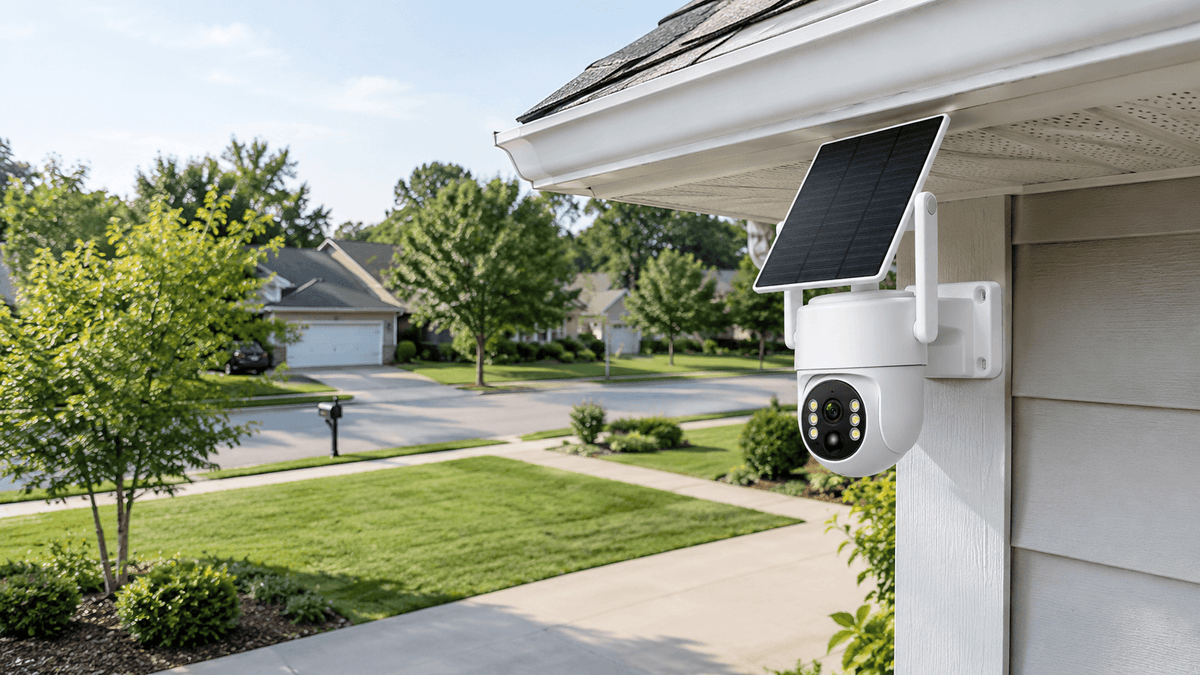
Security cameras are designed to make home monitoring easier, but receiving dozens of motion alerts every day can quickly become frustrating. Your phone keeps buzzing because of passing cars, swaying trees, moving shadows, neighborhood pets, or even changes in sunlight. Eventually, you may start ignoring notifications—and that can cause you to miss an important security event.
So, why do security cameras send too many motion alerts, and how can you stop unnecessary notifications without compromising home security?
In most cases, excessive security camera motion alerts are caused by high motion detection sensitivity, poorly adjusted detection zones, environmental movement, changing lighting conditions, or incorrect notification settings. Fortunately, a few practical adjustments can help reduce false alarms and make your home security camera system more reliable.
In this guide, Camcamp explains the most common causes of excessive motion alerts and the best ways to fix them.
1. Why Do Security Cameras Send Too Many Motion Alerts?
Before changing your security camera settings, it helps to understand what triggers motion detection.
Most motion-activated security cameras analyze changes in the image to determine whether something has moved. Depending on the camera, motion detection may rely on pixel changes, infrared sensors, image analysis, or intelligent detection algorithms.
When the camera detects activity that meets its trigger conditions, it may record a video clip and send a motion alert to your phone.
However, not every detected movement represents a genuine security concern.
High Motion Detection Sensitivity
One of the most common reasons for too many security camera alerts is excessive motion detection sensitivity.
When sensitivity is set too high, even small changes in the camera's field of view may trigger notifications. Falling leaves, insects, distant pedestrians, and small animals can all create unnecessary alerts.
This is especially common with outdoor security cameras installed near busy streets, gardens, driveways, or tree-lined areas.
How to fix it: Open your camera's app and look for motion detection sensitivity or detection settings. Reduce the sensitivity gradually, then test the camera under normal conditions. Avoid lowering it so much that important movement near doors, windows, or entry points goes undetected.
The ideal setting depends on your camera model, installation location, and security needs.
Poorly Configured Motion Detection Zones
Your camera may be monitoring more of the property than necessary. For example, a driveway camera might capture a public sidewalk, a busy road, or a neighbor's moving tree branches.
Every movement in these areas can potentially trigger a notification.
How to fix it: If your camera supports customizable motion detection zones, limit monitoring to important areas such as your front door, garage entrance, driveway, gate, or backyard access point. Exclude areas with frequent but irrelevant activity whenever the app allows it.
A well-configured detection zone can significantly reduce unnecessary motion alerts while keeping important areas under surveillance.
2. Environmental Factors That Trigger False Motion Alerts
Outdoor environments change throughout the day. Even a properly installed security camera may detect movement caused by weather, vegetation, animals, or lighting.
Wind, Trees, and Moving Plants
Trees and shrubs are common sources of false motion alerts. On windy days, branches, leaves, and tall grass may move continuously within the camera's field of view.
If the camera is installed near a garden or surrounded by vegetation, it may repeatedly trigger motion detection.
How to fix it: Trim branches and bushes near the camera. Adjust the camera angle to reduce the amount of moving vegetation in the frame. If possible, point the camera toward a stable area where people are more likely to enter.
For solar security cameras, make sure vegetation does not block the solar panel while adjusting the camera's viewing angle.
Passing Cars, Pedestrians, and Neighborhood Pets
A camera facing a public road or shared walkway may detect passing vehicles, cyclists, pedestrians, dogs, and cats. These events may be normal daily activity rather than potential security threats.
How to fix it: Reposition the camera toward your property instead of the street. Use activity zones or object detection filters if your model supports them. If you want to monitor a driveway, focus the detection area on vehicles entering your property rather than every car passing outside.
Keep in mind that not all security cameras offer person, vehicle, or animal filtering. Check your model's specifications before relying on these features.
Rain, Snow, Fog, and Flying Insects
Weather can also contribute to false motion alerts. Raindrops, blowing snow, fog, and insects close to the lens may create visual changes that trigger some motion detection systems.
At night, insects attracted to infrared illumination can be particularly distracting because they may appear as bright, moving objects.
How to fix it: Install the camera under a suitable protective overhang when practical, while maintaining the required viewing angle and weather protection. Keep the lens clean and avoid positioning the camera directly toward areas where insects frequently gather.
If false alerts occur mainly during certain weather conditions, compare the notification times with the weather to identify the pattern.

3. Lighting Changes and Night Vision Can Cause Extra Alerts
Lighting conditions are another frequent cause of excessive security camera notifications.
During sunrise and sunset, changing sunlight can create moving shadows across driveways, lawns, walls, and windows. Headlights from passing cars may also produce sudden changes in brightness.
At night, infrared night vision can make nearby insects, spider webs, dust, or rain appear more prominent than they do during the day.
How to Reduce Lighting-Related Alerts
Start by checking the camera's position. Avoid pointing it directly toward bright streetlights, reflective windows, or the headlights of passing vehicles.
If your camera supports adjustable night vision or image settings, review those options according to the manufacturer's instructions. Clean the lens and check whether spider webs or nearby reflective surfaces are affecting nighttime images.
You can also review the camera's event history to determine whether unnecessary notifications occur at specific times, such as sunset or when outdoor lights switch on.
For homeowners using wireless outdoor security cameras, correct placement can make a noticeable difference in motion detection performance without requiring complicated adjustments.

4. Adjust Your Security Camera Motion Detection Settings
If your security camera keeps sending alerts after you have checked the environment, review the app's motion detection and notification settings.
The exact options vary by camera model, but the following adjustments are worth checking.
Reduce Motion Detection Sensitivity
Lowering sensitivity can prevent minor image changes from repeatedly triggering notifications. Make small adjustments rather than immediately selecting the lowest setting.
After each change, walk through the monitored area and check whether the camera still detects relevant movement.
Set Up Activity Zones
Activity zones allow supported cameras to prioritize selected areas. For example, you might monitor the front entrance while excluding a sidewalk or a tree near the driveway.
If your camera offers this feature, make sure the zones match the areas you actually want to protect.
Enable Smart Detection Filters When Available
Some security camera systems offer person detection, vehicle detection, or other smart detection features. These options can help distinguish relevant activity from general movement.
However, these capabilities are not universal. Check whether your particular camera supports them, and remember that detection accuracy can vary with distance, lighting, weather, and the object's position.
Review Notification Schedules and Alert Frequency
Some apps allow you to schedule notifications, adjust alert preferences, or configure event notifications separately from video recording.
For example, you may want immediate alerts at night but fewer nonessential notifications during busy daytime hours.
If your camera supports these settings, configure them around your daily routine. Avoid disabling all motion notifications if you depend on them for property security.

5. Check Camera Placement, Network Connection, and Firmware
Not every motion alert problem can be solved by changing sensitivity alone. Camera installation, software, and connectivity can also affect the monitoring experience.
Choose a Better Camera Position
Install the camera at a suitable height and angle for the area being monitored. Avoid aiming it at constantly moving objects or areas with unnecessary activity.
For entry points, position the camera to capture approaching people clearly. For driveways, focus on the area where vehicles enter or park.
A stable mounting position also helps maintain consistent coverage. After repositioning the camera, test both daytime and nighttime performance.
Check the App and Firmware
If your camera sends duplicate notifications, behaves inconsistently, or ignores changed settings, check for available app and firmware updates.
Review the event history to determine whether the alerts represent separate detections or repeated notifications for the same event. Some cameras may send multiple alerts when movement continues or when several detection events occur close together.
Follow the manufacturer's update instructions and restart the camera if recommended.
Verify Network Connectivity
For Wi-Fi security cameras, a weak or unstable network connection can interfere with remote viewing, notifications, and event delivery. However, poor connectivity is not necessarily the cause of excessive motion detection itself.
Check your Wi-Fi signal, router placement, and camera connection status. For cellular cameras, verify cellular coverage and the required data plan.
Understanding the difference between detection problems and notification delivery problems will help you choose the correct solution.
6. How to Reduce Motion Alerts Without Missing Important Events
The goal is not to eliminate every notification. It is to make security alerts more useful.
Use this practical checklist to improve your home surveillance system:
-
Start with sensitivity: Reduce it gradually if minor movement triggers repeated alerts.
-
Review detection zones: Exclude busy roads, sidewalks, and constantly moving vegetation where supported.
-
Improve installation: Reposition the camera to focus on entrances, garages, gates, and other important areas.
-
Check nighttime performance: Inspect infrared images for insects, spider webs, reflections, and lighting changes.
-
Use available smart detection: Enable person or vehicle filters if your model supports them.
-
Review notification settings: Adjust alert schedules and preferences without disabling essential security notifications.
-
Test before relying on changes: Walk through the monitored area during the day and at night.
-
Maintain your equipment: Clean the lens, inspect mounting hardware, and keep firmware up to date.
A few minutes of testing can help you find the right balance between useful security notifications and everyday convenience.

7. Choosing a Security Camera System for More Practical Monitoring
When comparing a wireless security camera system, look beyond video resolution alone. Consider how the camera handles motion detection, whether the app offers adjustable sensitivity, and which notification controls are available.
For outdoor monitoring, a solar security camera system can help reduce the need for frequent manual battery charging, provided the installation receives suitable sunlight and the system is configured correctly.
For larger properties, a multi-camera security system can help cover separate entry points, driveways, and outdoor areas. A local recording system may also provide convenient access to recorded events, depending on its configuration.
Camcamp security camera systems are designed for practical home and property monitoring. Before choosing a model, review its supported detection features, recording options, connectivity requirements, and app controls to ensure they match your needs.
Remember that a camera with more advanced detection features is not automatically the best choice for every property. Installation, camera angle, lighting, and correct settings remain important parts of a reliable home security setup.
FAQ
Why does my security camera keep detecting nothing?
A camera may trigger motion alerts because of shadows, lighting changes, insects, moving plants, or other environmental activity. Review the event recordings, adjust sensitivity, and refine detection zones if supported.
How do I stop security cameras from detecting trees moving in the wind?
Trim nearby branches where practical, adjust the camera angle, and exclude the affected area from motion detection if your camera supports activity zones. Lower sensitivity gradually and test the result.
Why does my security camera send motion alerts at night?
Nighttime alerts may be caused by infrared illumination, insects, spider webs, headlights, reflections, or changes in outdoor lighting. Inspect nighttime recordings and adjust the camera's position where necessary.
Should I turn off motion detection to stop false alarms?
Usually, no. Turning off motion detection completely may prevent the camera from notifying you about important activity. Adjust sensitivity, detection zones, and available smart filters instead.
Can a better security camera eliminate false alerts?
No security camera can guarantee zero false alerts in every environment. Detection performance depends on the camera's technology, installation, lighting, weather, and settings. Correct configuration can help reduce unnecessary notifications.
Final Thoughts
Too many security camera motion alerts are often caused by high sensitivity, poorly configured detection zones, environmental movement, or changing lighting conditions. By adjusting motion detection settings, improving camera placement, checking nighttime recordings, and reviewing notification preferences, you can reduce unnecessary alerts while maintaining useful property surveillance.
Whether you are protecting a front door, driveway, backyard, or remote property, a properly configured security camera system can make everyday monitoring more manageable.
Explore Camcamp security camera solutions to find a setup that fits your property's layout and home security needs.

Leave a comment
This site is protected by hCaptcha and the hCaptcha Privacy Policy and Terms of Service apply.