
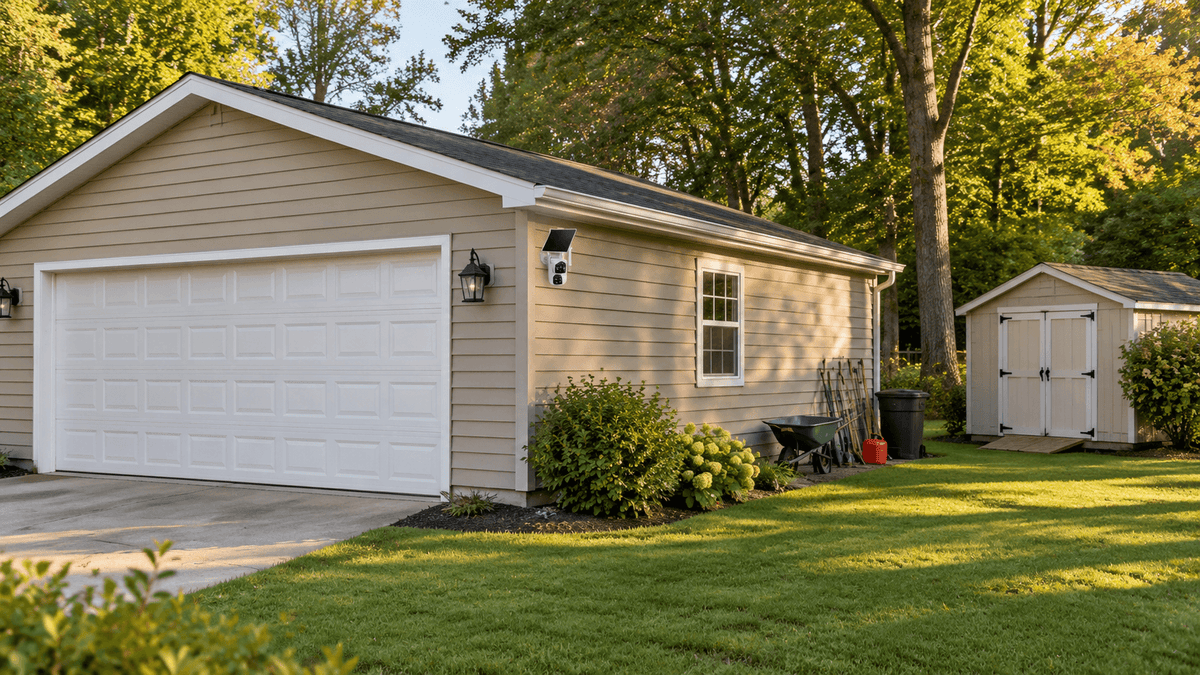
A detached garage or backyard shed can be one of the most vulnerable areas of your property. Whether you use it to store vehicles, power tools, lawn equipment, bicycles, or seasonal belongings, keeping an eye on it is important—even when it is located far from your house.
But what happens when your detached garage is outside your home Wi-Fi range?
Traditional wireless security cameras often depend on a stable Wi-Fi connection to provide remote viewing, motion alerts, and video access. Running an Ethernet cable or extending your home network to a separate building can be expensive, complicated, or simply impractical.
Fortunately, there is another solution: a 4G LTE cellular security camera.
With a cellular security camera like the Camcamp SC61, you can monitor a detached garage, storage shed, workshop, or other remote building directly from your smartphone without connecting the camera to your home Wi-Fi.
In this guide, we'll explain how to secure a detached garage without Wi-Fi, what features to look for in an outdoor security camera, and how to choose the right monitoring setup for your property.
1. Why Is It Difficult to Monitor a Detached Garage Without Wi-Fi?
Detached garages and sheds are often located away from the main house. Although they may be only a short distance from your home, their walls, metal doors, surrounding trees, and other obstacles can weaken or completely block Wi-Fi signals.
Here are some common challenges homeowners face.
Wi-Fi Signals May Not Reach the Garage
Most standard home Wi-Fi routers are designed to cover the main living area. Their signals may become unreliable when passing through multiple walls, brick structures, concrete, or metal garage doors.
Even if your phone occasionally detects your home Wi-Fi near the garage, that doesn't necessarily mean a security camera will maintain a stable connection.
A weak connection can lead to delayed motion notifications, interrupted live viewing, and missed opportunities to check suspicious activity.
Running Network Cables Can Be Expensive
One option is to extend your home network using Ethernet cables or additional networking equipment.
However, this may require digging trenches, drilling through exterior walls, installing weatherproof cable conduits, or hiring a professional.
For homeowners who simply want to monitor a small storage shed or detached workshop, the installation costs may not be worthwhile.
Remote Buildings May Have No Electricity
Some backyard sheds, storage buildings, and rural garages do not have a dedicated electrical connection.
Installing a traditional wired security camera may require additional electrical work. Battery-powered cameras can be easier to install, but frequent charging or battery replacement may become inconvenient.
The key is finding a security camera that does not depend on your home's Wi-Fi network or a nearby electrical outlet.
2. Can You Use a Security Camera Without Wi-Fi?
Yes. You can monitor a detached garage or shed without home Wi-Fi by using a cellular security camera.
Unlike conventional Wi-Fi cameras, a 4G LTE security camera connects to a cellular network through a built-in SIM card.
Instead of sending video through your home router, it uses mobile data to communicate with your smartphone.
This makes it possible to monitor buildings and outdoor areas that are outside your home's Wi-Fi coverage.
How Does a 4G LTE Security Camera Work?
The process is relatively simple:
- A built-in SIM card connects the camera to a compatible cellular network.
- The camera detects movement around your garage or shed.
- It records video and sends notifications through its mobile application.
- You open the app on your smartphone to check alerts or access live viewing remotely.
As long as the installation location has compatible 4G LTE cellular coverage and the camera has an active data plan, you can access your property remotely.
This is especially useful for:
- Detached garages located at the end of a long driveway.
- Backyard sheds outside the home Wi-Fi range.
- Workshops and equipment storage buildings.
- Rural garages and agricultural storage areas.
- Vacation properties and seasonal cabins.
- Construction sites and remote storage locations.
A cellular camera is particularly useful when extending your home internet connection would be difficult or expensive.
3. Best Solution: Use a 4G LTE Solar Security Camera
For a detached garage without Wi-Fi or electricity, a solar-powered cellular security camera can provide a practical alternative to traditional wired surveillance.
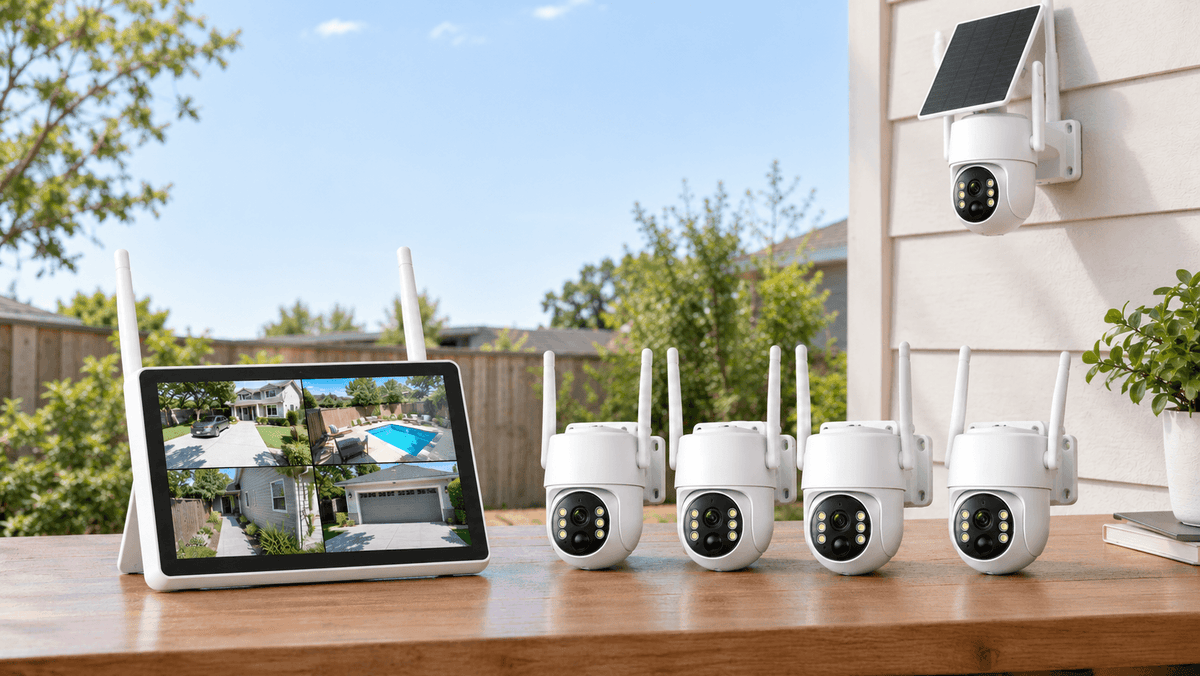
One option worth considering is the Camcamp SC61 4G LTE Solar Cellular Security Camera.
Designed for outdoor and remote-property monitoring, the SC61 combines cellular connectivity, solar charging, and remote camera control in one wireless security solution.

No Home Wi-Fi Required
The SC61 uses a pre-installed SIM card to connect to compatible 4G LTE networks.
It does not need your home Wi-Fi router, making it suitable for garages, sheds, and other buildings located beyond your wireless network's range.
In the United States, the SC61 supports compatible AT&T, Verizon, and T-Mobile networks.
An active cellular data plan is required for cellular connectivity and remote monitoring. The built-in SIM card is not designed to be replaced with a personal SIM card.
Solar-Powered Operation
Another challenge with detached buildings is the lack of convenient electrical outlets.
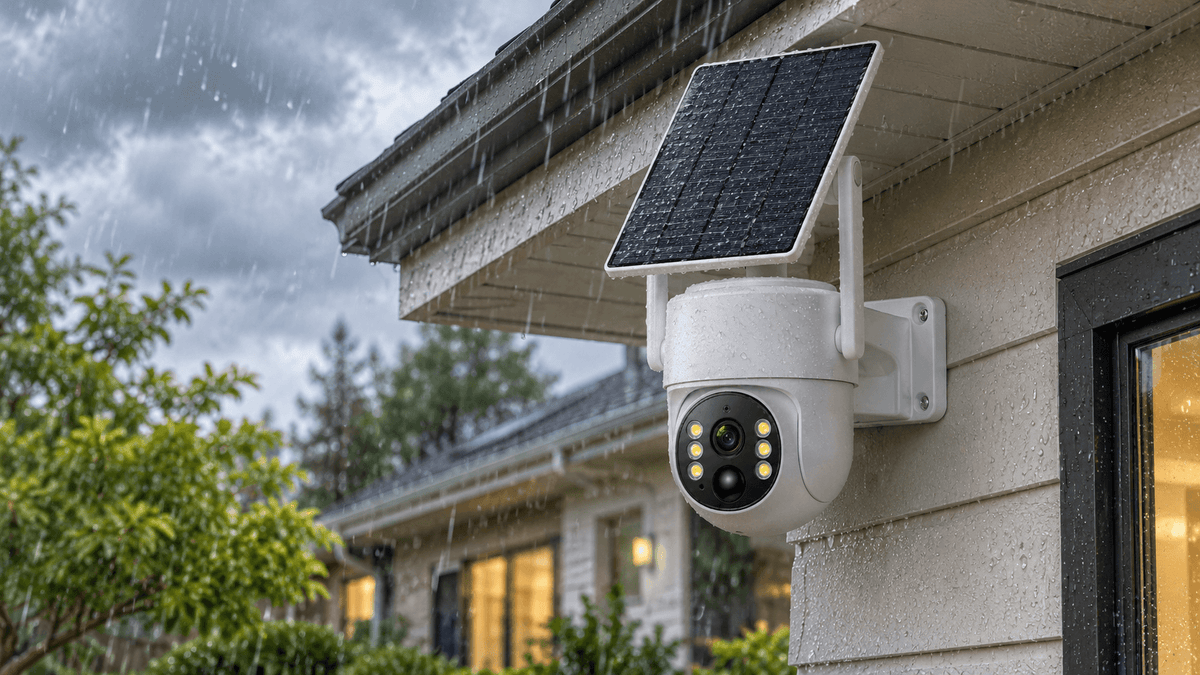
The SC61 features a rechargeable 7,800mAh battery and a 5W solar panel to help maintain power during outdoor use.
After installation, position the solar panel where it can receive sufficient sunlight throughout the day.
This reduces the need for frequent manual charging and makes the camera suitable for locations where running power cables is inconvenient.
Actual solar charging performance depends on sunlight exposure, weather, camera activity, and installation conditions.
Dual-Lens Monitoring for Better Coverage
A detached garage may have several areas worth monitoring, including the entrance, driveway, side doors, and nearby storage areas.
The SC61 features a dual-lens design:
- The upper fixed lens provides a wide overview of the surrounding area.
- The lower pan-and-tilt lens allows you to remotely adjust the viewing direction through the app.
This combination helps you monitor a wider area and check specific locations without physically visiting the garage.
Remote Viewing and Motion Alerts
You don't need to be standing next to your garage to check what's happening.
Through the mobile app, you can access live viewing, receive motion notifications, and remotely adjust the camera's viewing direction.
Depending on the situation, you can check whether someone is entering the garage, approaching the shed, or moving around your storage area.
For homeowners who travel frequently or manage properties from another location, remote access offers additional peace of mind.
Night Vision for After-Dark Monitoring
Garages and sheds can become particularly vulnerable at night, especially when they are located away from outdoor lighting.
The SC61 supports infrared night vision, helping you monitor activity after dark.
Its spotlight-assisted color night vision can also provide color footage when additional illumination is enabled.
This gives homeowners another way to check their property during nighttime hours.
Explore the Camcamp SC61 4G LTE Solar Security Camera.
4. Where Should You Install a Security Camera Around a Detached Garage?
Choosing the right camera is only part of an effective garage security setup. Proper placement is equally important.
Before installation, walk around your garage and identify the areas where someone could enter, approach, or access valuable equipment.

1. Above the Main Garage Door
The main garage entrance should be one of your highest priorities.
Install the camera in a position that captures the driveway and the area directly in front of the garage door.
This helps you identify vehicles and people approaching the building.
Avoid pointing the camera directly into bright sunlight or positioning it so close to the door that visitors appear too small or distorted.
2. Near Side Doors and Secondary Entrances
Many detached garages have side doors or back entrances that are less visible from the house.
These areas can become potential access points.
Position your camera to capture the entrance and nearby activity while avoiding unnecessary views of neighboring properties.
3. Cover the Driveway and Surrounding Area
If your garage is located at the end of a long driveway, monitoring the approach can help you understand who is arriving before they reach the building.
A camera with remote pan-and-tilt control can be useful when you want to inspect different areas of the driveway without installing multiple cameras immediately.
4. Monitor Outdoor Equipment Storage
Some homeowners keep lawnmowers, generators, ladders, firewood, and other equipment outside the garage.
If these items are valuable, consider positioning the camera to cover the storage area as well.
For larger properties, multiple cameras may be necessary to eliminate significant blind spots.
5. How to Set Up a Cellular Security Camera for Your Shed
One advantage of a wireless 4G LTE camera is that you generally do not need to install network cables or extend your home internet connection.
Here is a simple installation checklist.

Step 1: Check Cellular Signal Coverage
Before mounting the camera, confirm that the installation location has a reliable compatible 4G LTE signal.
A cellular security camera cannot provide remote access if cellular coverage is unavailable.
Step 2: Choose the Installation Position
Select a location that provides a clear view of the garage entrance, driveway, or other important areas.
Mount the camera high enough to reduce the risk of tampering, but not so high that important details become difficult to identify.
Step 3: Position the Solar Panel
Install the solar panel where it receives adequate direct sunlight.
Avoid placing it under deep roof overhangs, dense tree branches, or other areas with prolonged shade.
Step 4: Activate the Camera and Data Plan
Set up the camera using the manufacturer's instructions and mobile application.
For the SC61, activate the required cellular data service before relying on remote viewing and notifications.
Step 5: Test Live Viewing and Motion Detection
Walk around the garage and test different viewing angles.
Check whether the camera captures the entrance, detects movement, and sends notifications to your phone.
Adjust the camera position and detection settings if necessary.
A few minutes of testing can help prevent missed coverage areas later.
6. Cellular Security Camera vs. Wi-Fi Security Camera: Which Is Better?

Not every detached garage requires a cellular camera. The best option depends on the building's location, internet availability, and power supply.
| Feature | Wi-Fi Security Camera | 4G LTE Cellular Camera |
|---|---|---|
| Internet connection | Home Wi-Fi | Cellular network |
| Home router required | Yes | No |
| Works outside Wi-Fi range | Usually no | Yes, with cellular coverage |
| Data plan | Usually no separate cellular plan | Required |
| Solar-powered options | Available | Available |
| Remote monitoring | Through Wi-Fi connection | Through cellular connection |
| Best for | Areas near the home router | Detached and remote buildings |
If your garage is close to your house and receives a strong Wi-Fi signal, a standard Wi-Fi camera may be sufficient.
However, if the garage is located far away, has metal walls, or sits on a separate part of your property, a 4G LTE cellular camera is often a more practical choice.
The most important consideration is not simply whether a camera is wireless. It is whether the camera can maintain a reliable connection from the exact location where you plan to install it.
7. Additional Tips to Improve Detached Garage Security
A security camera is an important part of property protection, but it should not be your only security measure.
Consider combining camera monitoring with these simple improvements:
- Reinforce garage doors: Use quality locks and secure door hardware to make unauthorized entry more difficult.
- Improve outdoor lighting: Motion-activated lights can make it easier to see activity around entrances.
- Secure windows: Add suitable locks or reinforced window hardware.
- Keep valuable equipment out of sight: Avoid leaving expensive tools or equipment visible through windows.
- Check camera notifications regularly: Make sure the camera remains online and the cellular data plan is active.
- Protect the camera itself: Install it in a less accessible location and use appropriate mounting hardware.
Combining physical security measures with remote camera monitoring provides a more comprehensive approach to protecting detached buildings.
8. FAQ
Can I put a security camera in my detached garage without Wi-Fi?
Yes. A 4G LTE cellular security camera uses a cellular connection instead of home Wi-Fi. As long as the installation location has compatible cellular coverage and an active data plan, you can monitor the garage remotely using your smartphone.
What is the best security camera for a shed without Wi-Fi?
A solar-powered 4G LTE security camera is a practical choice for sheds without Wi-Fi or convenient electrical outlets. The Camcamp SC61 combines cellular connectivity, solar charging, dual-lens monitoring, and remote camera control.
Do cellular security cameras require a monthly subscription?
Cellular security cameras require an active cellular data plan to access remote cellular features. The payment options may vary depending on the camera and service provider.
For the Camcamp SC61, cellular service is required. A one-year data plan is available for $169.90. Optional cloud storage is a separate service.
Can a solar security camera work without electricity?
Yes. A solar-powered camera can operate using its rechargeable battery, which is replenished by the solar panel. However, performance depends on sunlight exposure, weather, battery condition, and usage.
Will a 4G security camera work in a metal garage?
It may work, but cellular signal strength should be checked at the intended installation location. Metal structures can interfere with wireless signals. If the signal is weak inside the garage, consider mounting the camera outside where cellular reception is stronger.
Can I monitor my detached garage from another state?
Yes. If the camera has compatible cellular coverage, an active data plan, and a working connection, you can access its remote monitoring features through the mobile app while away from the property.
Does the Camcamp SC61 work without a SIM card?
The SC61 comes with a pre-installed SIM card. It uses this built-in SIM for cellular connectivity and is not designed for replacement with a personal SIM card. An active cellular data plan is necessary for remote cellular monitoring.
Final Thoughts: Protect Your Detached Garage Without Extending Home Wi-Fi
You shouldn't have to run expensive cables or extend your home internet network just to monitor a detached garage or backyard shed.
A 4G LTE cellular security camera offers a simpler way to keep an eye on remote buildings, especially when combined with solar power and flexible camera positioning.
For homeowners looking for a wireless garage security camera, the Camcamp SC61 provides a practical combination of cellular connectivity, solar-powered operation, dual-lens coverage, and remote monitoring.
Whether you want to protect a detached garage, secure a backyard shed, monitor a workshop, or keep an eye on valuable outdoor equipment, choosing the right cellular security camera can help you stay connected to your property—even when your home Wi-Fi cannot reach it.
Discover the Camcamp SC61 and make remote property monitoring easier.

Leave a comment
This site is protected by hCaptcha and the hCaptcha Privacy Policy and Terms of Service apply.