
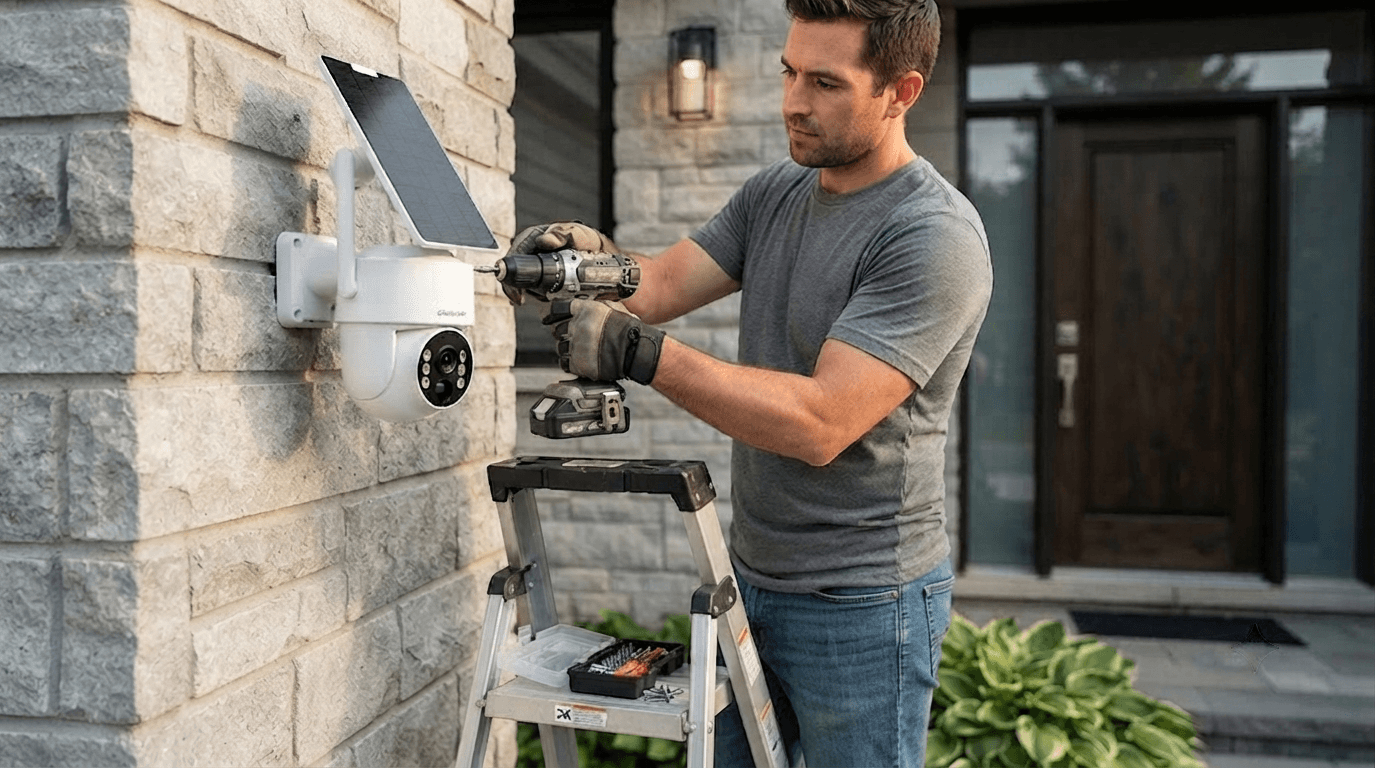
A reliable outdoor security camera is one of the most effective ways to protect your home, property, and family. Whether you want to monitor your front door, backyard, driveway, garage, or outdoor areas, a properly installed wireless security camera system can provide better visibility, discourage unwanted activity, and help you stay connected with your property anytime.
However, installing an outdoor camera is not only about mounting it on a wall. Choosing the right location, adjusting the viewing angle, connecting the network, and optimizing motion detection settings all play important roles in creating an effective home security camera system.
In this guide, we will walk you through how to install an outdoor security camera step by step and share professional tips to help you get the best performance from your security setup.
Why Install an Outdoor Security Camera?
Modern outdoor surveillance cameras provide more than basic video recording. With advanced features such as AI motion detection, night vision, two-way audio, remote monitoring, and solar power options, today’s security cameras make home protection easier and smarter.
Some key benefits include:
1. Protect Your Home 24/7
An outdoor security camera allows you to monitor important areas around your property day and night. Whether it is checking package deliveries, watching your driveway, or keeping an eye on your backyard, a reliable camera provides valuable visibility.
2. Deter Potential Intruders
Visible security cameras can discourage unwanted visitors before problems occur. Many homeowners install cameras near entrances, garages, and outdoor pathways because these areas are common access points.
3. Monitor Your Property Remotely
A modern WiFi security camera or wireless security system allows homeowners to view live footage through a smartphone app. This means you can check your home while traveling, working, or away from your property.
4. Improve Outdoor Safety
Outdoor cameras can also help monitor children, pets, deliveries, and outdoor activities, making them a practical addition to any smart home security system.
Step 1: Choose the Best Location for Your Outdoor Security Camera

The location of your camera has a major impact on video quality and security coverage.
Before installation, consider these important areas:
Front Door
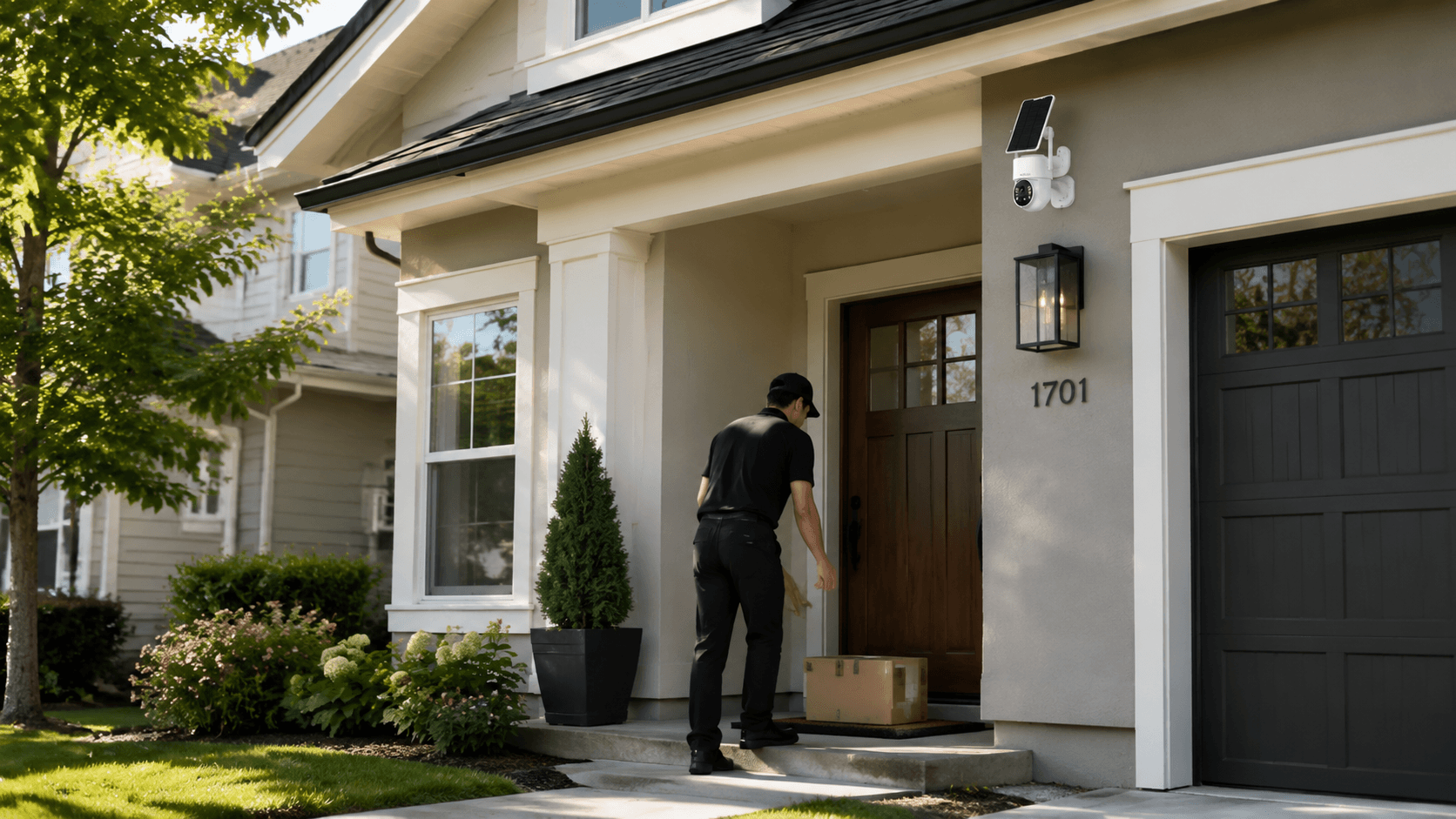
The front entrance is one of the most important locations for an outdoor camera. A large percentage of visitors, deliveries, and unwanted activity happen around entry points.
Install your camera high enough to prevent tampering while keeping faces and packages visible.
Driveway and Garage
A driveway security camera helps monitor vehicles, parking areas, and outdoor storage spaces.
For larger properties, consider using cameras with wide viewing angles or PTZ (pan-tilt-zoom) functionality.
Backyard and Side Gates
Backyards and side entrances are often overlooked but can become vulnerable areas.
Installing an outdoor security camera in these locations helps create complete property coverage.
Avoid Direct Sunlight and Obstructions
Do not point cameras directly toward strong sunlight, bright lights, or reflective surfaces.
Avoid placing cameras behind trees, walls, or objects that may block motion detection.
Step 2: Prepare Installation Tools
Before installing your outdoor security camera, prepare the necessary tools.
Most DIY security camera installations require:
- Drill and drill bits
- Screws and mounting brackets
- Screwdriver
- Ladder
- Measuring tape
- Smartphone or tablet
- WiFi password
For wireless security cameras, installation is usually much easier because you do not need complicated wiring.
Solar-powered cameras provide even greater flexibility because they can operate without connecting to traditional power outlets.
Step 3: Mount Your Outdoor Security Camera

After selecting the location, it is time to install the camera.
Follow these steps:
1. Mark the Installation Position
Hold the mounting bracket against the wall and mark where the screws will be installed.
Make sure the position provides the viewing angle you need.
2. Install the Mounting Bracket
Drill holes according to the mounting instructions and secure the bracket firmly.
Outdoor cameras should be installed on stable surfaces to prevent shaking or blurry footage.
3. Attach the Camera
Connect the camera to the mounting bracket and adjust the angle.
For most outdoor security cameras, the recommended installation height is around 8–10 feet from the ground.
This height provides:
- Better viewing range
- Protection from damage
- Improved motion detection performance
Step 4: Connect Your Security Camera to WiFi or Network

After physically installing the camera, the next step is setting up the connection.
For a wireless outdoor security camera, follow these steps:
- Download the camera mobile app.
- Create an account.
- Add your camera device.
- Connect the camera to your home WiFi network.
- Confirm the live video connection.
A strong WiFi signal is important for stable video transmission.
Step 5: Adjust Camera Angle and Detection Settings
Correct camera settings can significantly improve performance.
After installation, adjust:
Viewing Angle
Make sure important areas are clearly visible.
Avoid positioning the camera too high because it may only capture the top of people’s heads.
Avoid positioning it too low because it may become easier to damage.
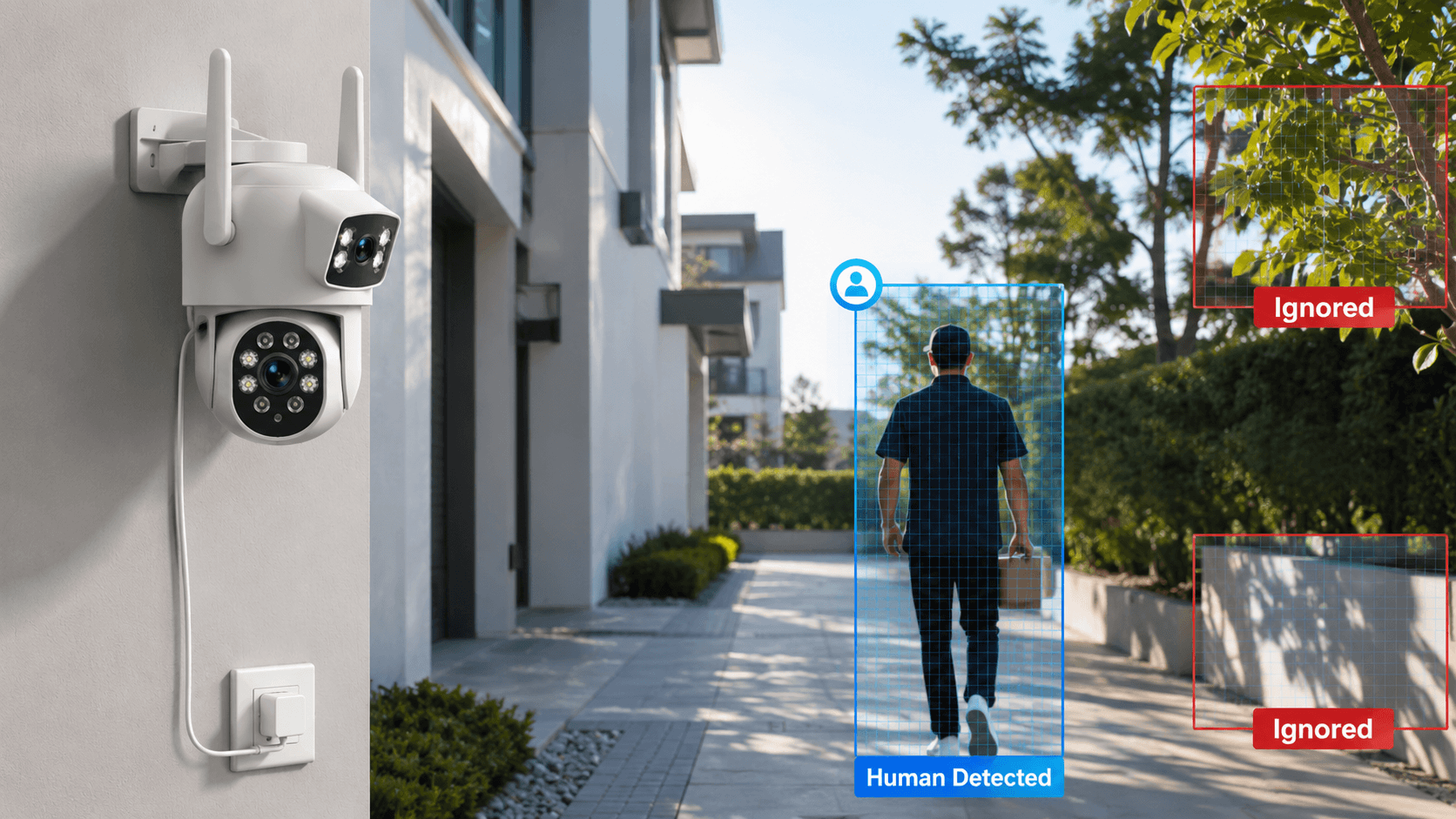
Motion Detection
Modern cameras often include smart motion detection features.
Adjust:
- Detection sensitivity
- Motion zones
- Human detection settings
- Notification preferences
This helps reduce false alarms caused by moving trees, animals, or weather changes.
Night Vision Settings
For outdoor monitoring, night vision performance is extremely important.
Choose a camera with:
- Infrared night vision
- Color night vision
- Low-light performance
A good outdoor security camera should provide clear images during both daytime and nighttime.
Step 6: Test Your Outdoor Security Camera

Before completing installation, test every function.
Check:
✅ Live video quality
✅ Motion detection alerts
✅ Night vision performance
✅ Audio quality
✅ Recording storage
✅ Mobile app connection
Walk around the camera detection area and confirm that notifications work properly.
Conclusion
Installing an outdoor security camera does not have to be complicated. By choosing the right location, mounting the camera correctly, connecting it properly, and optimizing detection settings, you can create a reliable home security system.
Whether you choose a wireless security camera, solar-powered security camera, or smart AI surveillance camera, proper installation is the key to achieving better protection and peace of mind.
With modern solutions from Camcamp, homeowners can enjoy easier installation, smarter monitoring, and reliable outdoor security for their properties.
FAQ
How high should an outdoor security camera be installed?
For most homes, an outdoor security camera should be installed around 8 to 10 feet above the ground. This height provides a wider viewing angle while reducing the risk of damage or tampering.
Do outdoor security cameras need WiFi?
Many wireless security cameras require WiFi for remote viewing and app control. However, some cameras use 4G LTE connectivity, making them suitable for areas without reliable WiFi.
Where is the best place to install an outdoor security camera?
The best locations include front doors, driveways, garages, backyards, and side entrances. These areas provide important coverage for home security.
How do I prevent false alarms from outdoor security cameras?
Use cameras with AI human detection, adjustable motion zones, and smart notification settings to reduce alerts caused by pets, weather, or moving objects.

Leave a comment
This site is protected by hCaptcha and the hCaptcha Privacy Policy and Terms of Service apply.