
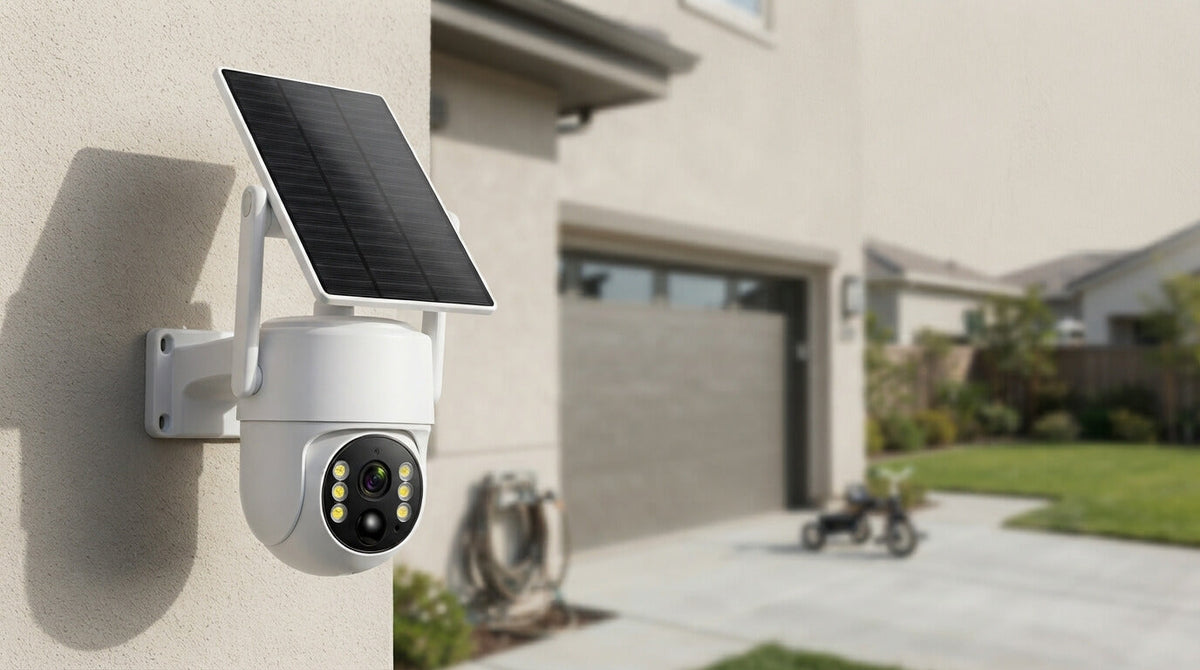
If you have a security camera system at home, on your property, or around a business, one question often comes up: How long do security cameras keep footage?
The answer depends on several factors, including the type of security camera, video resolution, recording mode, storage capacity, and how often the camera detects activity. However, you don't always need to calculate exactly how many days of video your hard drive can hold.
With a Camcamp security camera system, supported systems can use loop recording, which makes storage management much easier. Instead of requiring you to constantly delete old security footage when the storage becomes full, the system can automatically overwrite older recordings with new ones.
That means your security camera can continue recording without requiring constant manual storage management.
In this guide, we'll explain security camera storage, NVR hard drive storage, loop recording, video retention, continuous recording, motion detection recording, and how to manage security camera footage.
How Long Do Security Cameras Keep Footage?
There isn't one universal answer to how long a security camera stores video.
The actual recording time depends on:
- Storage capacity
- Camera resolution
- Number of cameras
- Recording mode
- Motion activity
- Video compression
- Recording schedule
- NVR or DVR configuration
For example, a security camera recording continuously in high resolution will generally use more storage than a camera that only records when motion is detected.
A system with multiple cameras will also use storage faster than a single-camera setup.
This is why it is better to think about how your security camera manages storage rather than focusing only on a specific number of days.
For many users, the most convenient solution is loop recording.
What Is Loop Recording?
Loop recording is a storage feature that automatically manages older video footage.
When the available storage becomes limited, the security camera system can overwrite older recordings with newer recordings.
In simple terms:
New footage comes in → older footage is gradually replaced → recording continues.
You don't need to manually remove hundreds or thousands of old video files every time the hard drive becomes full.
This is particularly useful for home security cameras, outdoor security cameras, NVR security systems, farm security cameras, and property surveillance systems that are expected to operate for long periods.
Instead of worrying about constantly checking available storage, you can let the system manage the recording cycle automatically.
Why Is Loop Recording Useful?
Imagine that your security camera records your driveway every day.
Without an automatic storage management system, you might eventually receive a storage-full notification and need to manually delete old recordings.
With loop recording, the system can automatically replace older footage as new footage is recorded.
This gives you a much more convenient continuous security recording solution.

Does a Security Camera Hard Drive Get Full?
Yes, the storage device will eventually reach its available capacity if the system continuously records.
But that doesn't necessarily mean your security camera stops recording.
With a compatible NVR security camera system that supports loop recording, the system can automatically recycle storage space by overwriting older footage.
This is one of the biggest advantages of using an NVR-based security camera system.
Instead of treating your hard drive as permanent storage for every recording ever made, think of it as a rolling video archive.
The system continuously keeps the most recent footage while gradually removing older footage to make room for new recordings.
This is especially useful when you mainly need recent footage for security monitoring.
For example, if something happens on your property today, you can review the recent recordings without having to manually organize months of old video files.
What Determines Security Camera Storage Time?

Several factors affect how much footage your security camera can store.
1. Video Resolution
Higher resolution generally requires more storage.
A 4MP or 2.5K security camera can produce more detailed footage than a lower-resolution camera, but higher-quality video can also require more storage space.
Modern systems balance image quality and compression to make efficient use of available storage.
For outdoor surveillance, choosing an appropriate resolution is important because you want enough detail to identify people, vehicles, animals, and other activity without unnecessarily consuming storage.
2. Continuous Recording vs. Motion Detection
The recording mode makes a major difference.
Continuous recording means the camera records throughout the scheduled recording period.
Motion detection recording records when the camera detects movement.
If your camera monitors an area where very little happens, motion recording can significantly reduce the amount of unnecessary footage.
For example, a backyard may remain completely still for several hours. Instead of storing hours of video showing an empty yard, motion-triggered recording can focus on moments when something actually happens.
However, continuous recording can be useful for areas where you want a complete video history.
3. Number of Cameras
The more cameras connected to an NVR, the more video data the system needs to store.
A four-camera security system naturally produces more footage than a single-camera system.
This is why choosing an NVR with appropriate storage capacity is important when building a multi-camera security system.
Camcamp NVR systems are designed to make managing multiple security cameras easier, allowing users to monitor and record several camera views through one system.
4. Recording Activity
Not every camera records the same amount of meaningful activity.
A camera pointed at a busy driveway may detect cars and people throughout the day.
A camera pointed at a quiet backyard may record very little motion.
This means two identical security cameras can use storage at different rates depending on where they are installed and how much activity occurs in their field of view.
How Does NVR Storage Work?
An NVR (Network Video Recorder) stores video footage from compatible security cameras.
Instead of saving recordings directly to your phone, the NVR provides centralized local storage for the surveillance system.
This is particularly convenient for homeowners and businesses that want to manage multiple cameras from one location.
A typical NVR security camera setup includes:
- Security cameras
- NVR recorder
- Hard drive storage
- Network connection
- Monitor or display
- Mobile viewing capability, depending on the system
Once configured, the NVR can record and organize footage automatically.
With loop recording enabled on supported systems, older footage can be overwritten as new footage is recorded.
This means you don't have to constantly monitor your hard drive capacity.

Local Storage vs. Cloud Storage
When choosing a security camera, you'll often see two major storage options: local storage and cloud storage.
Cloud security camera systems upload footage to remote servers. Depending on the service, cloud storage may involve subscription plans or storage limits.
Local storage keeps video recordings on a physical device such as an NVR hard drive.
For users who prefer a traditional surveillance setup, local NVR storage can be a practical solution.
It also makes it easier to build a multi-camera system where recordings are managed from a central location.
Camcamp offers security camera solutions designed for users who want reliable local video recording and convenient surveillance management.
How Can You Prevent Important Security Footage From Being Overwritten?
Loop recording is convenient, but there is one important thing to remember:
Important footage should be backed up before it is overwritten.
Suppose your security camera captures a package delivery, suspicious activity, property damage, or another important event.
If that recording remains on a loop-recording system, it may eventually be replaced by newer footage.
If you need to keep a particular recording for longer, save or export it according to your security system's available options.
A good security camera workflow is:
Record → Review → Identify important footage → Save or back up → Continue normal loop recording.
This gives you the convenience of automatic storage management while still allowing you to preserve important events.
How Often Should You Check Your Security Camera Storage?
You don't necessarily need to check your storage every day.
If your system supports automatic loop recording, it is designed to manage the recording cycle for you.
However, it's still a good idea to occasionally check:
- Whether all cameras are recording
- Whether the NVR recognizes the hard drive
- Whether the cameras are connected
- Whether important recordings can be played back
- Whether your recording settings are correct
- Whether the camera angle still covers the intended area
Regular system checks can help ensure that your home surveillance system continues working as expected.
Why Loop Recording Matters for Outdoor Security Cameras
Outdoor cameras are often installed in locations where you don't want to constantly manage the equipment.
A camera may monitor:
- Driveways
- Backyards
- Entrances
- Garages
- Farms
- Workshops
- Warehouses
- Parking areas
- Gates
- Remote property
In these situations, automatic recording management can make the entire surveillance system much easier to maintain.
A weatherproof outdoor security camera with local recording and loop recording can continue capturing new activity without requiring you to regularly delete old footage manually.
This is particularly helpful for homeowners who want a simple 24/7 security camera system without spending time managing storage every few days.

Do You Need a Bigger Hard Drive?
Not necessarily.
A larger hard drive gives you more storage capacity, which can be useful if you want to retain more historical footage.
However, if your main goal is to make sure the system keeps recording new events, loop recording is often more important than simply having an extremely large hard drive.
The best storage configuration depends on your camera resolution, number of cameras, recording mode, and how much historical footage you actually need.
For most everyday surveillance applications, the goal isn't necessarily to keep every recording forever.
The goal is to make sure the system keeps recording reliably while automatically managing older footage.
Camcamp Security Cameras: Simple, Automatic Storage Management
Choosing a security camera system shouldn't mean constantly worrying about storage.
With a properly configured Camcamp NVR security camera system, you can monitor your property, record video, review previous events, and use loop recording to automatically manage available storage.
Instead of asking, "Exactly how many days will my hard drive last?", a more useful question is:
"Does my security camera system automatically manage older footage?"
With loop recording, the answer can be yes.
Your system can continue recording new video while older footage is gradually overwritten when storage space is needed.
That makes security camera storage simpler, more practical, and easier to manage for everyday home and property surveillance.
Final Thoughts: How Long Should Security Camera Footage Be Kept?
So, how long do security cameras keep footage?
There is no single number that applies to every security camera system. Storage time depends on resolution, hard drive capacity, recording mode, camera count, and activity levels.
But for many users, you don't need to worry about calculating an exact storage period.
A security camera system with loop recording can automatically manage its available storage by replacing older footage with newer recordings.
That means you can focus on what matters most: keeping your property monitored and making sure recent security footage is available when you need it.
Whether you're looking for a home security camera, outdoor security camera, NVR security system, local video storage, continuous recording camera, or multi-camera surveillance system, choosing a system with convenient storage management can make a major difference.
With Camcamp, security monitoring is designed to be easier—from recording and playback to automatic storage management.

Leave a comment
This site is protected by hCaptcha and the hCaptcha Privacy Policy and Terms of Service apply.